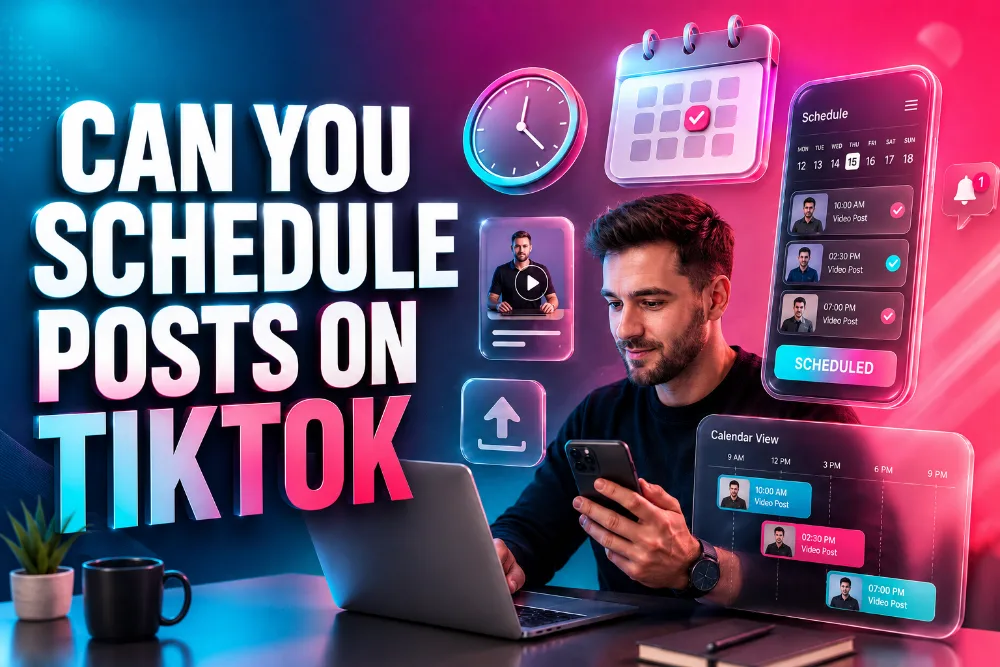
TikTok has grown into a powerful social media platform, providing a fun and engaging space for users to create and share videos. But if you’re managing a TikTok account for business or personal branding, you might wonder, ” Can you schedule posts on TikTok?
The answer is yes, and it can make your content creation process a lot smoother and more efficient. This article will walk you through the tools and methods available for scheduling TikTok posts, so you can maximize your social media marketing efforts.
The Importance of Scheduling TikTok Posts
Scheduling posts on TikTok allows you to manage your content more effectively. If you’re consistently posting engaging content, maintaining a regular schedule helps you stay visible to your audience. Automated tools for TikTok scheduling can save you time, letting you focus on content creation while ensuring your videos go live at optimal times for engagement.
Many users don’t realize that TikTok’s algorithm rewards content that is posted at the right time. When you schedule posts, you can target your audience during peak hours, increasing the likelihood your video will be discovered. This is why tools like the TikTok Story Viewing platform are incredibly helpful, as they allow you to plan your TikTok posts ahead of time and set a consistent posting routine.
Using TikTok Story Viewer to schedule posts also lets you manage multiple social media accounts in one place. You can upload your videos, create captions, select the publishing method, and even adjust your cover photo—all before your post goes live.
How TikTok Scheduling Tools Work
There are several tools available for scheduling TikTok posts, each offering features tailored to different needs. These platforms help you streamline your TikTok management by allowing you to plan, create, and automate your posts in advance. Some tools even offer analytics to measure how your posts perform after they go live.
For example, Sked Social’s TikTok scheduling platform lets you schedule posts, track performance, and adjust your social media strategy based on results. With these tools, you can ensure your content is posted when your audience is most active.
Here’s how these platforms generally work:
- Upload your video: First, upload it to the platform.
- Create a caption: Add a compelling caption that fits TikTok’s style and character limit.
- Choose the publishing time: Decide when you want your post to go live.
- Automate the process: The tool will post your video automatically at the set time.
This scheduling method helps you stay consistent while allowing you to create content in batches, saving time and effort.
The Best TikTok Scheduling Tools
Several scheduling tools are designed to make managing your TikTok account easier. Each tool has unique features, so it’s essential to select one that fits your needs. Here’s a list of popular TikTok scheduling tools that can help you streamline your content creation and posting processes:
- Later: Known for its user-friendly interface, Later allows you to schedule TikTok videos with ease, helping you maintain a steady posting rhythm. It also offers advanced features like analytics and post-performance tracking, so you can refine your content strategy.
- Buffer: Another excellent tool for scheduling, Buffer offers simple TikTok post scheduling. Buffer allows you to plan and publish your TikTok posts on a set schedule, ensuring you reach your audience when they are most active.
- Sked Social: With Sked Social, you can schedule and manage your TikTok content effortlessly. Sked Social provides an intuitive platform for scheduling posts and includes analytics to track post performance.
You can use these tools to schedule posts for both personal and business accounts, keeping your TikTok strategy on track. Plus, these tools provide detailed insights into each post’s performance, helping you make data-driven decisions.
How to Schedule TikTok Posts on Later
If you’re new to scheduling TikTok posts, TikTok Story Viewer is a great starting point. Here’s how to use TikTok Story Viewer to schedule your posts:
- Connect your TikTok account: The first step is linking your TikTok account to TikTok Story Viewer. Once connected, you’ll have access to all your TikTok content from within the platform.
- Upload your media: Upload your videos to TikTok Story Viewer. You can upload multiple videos at once and plan your content calendar for the coming days or weeks.
- Create your captions: Write engaging captions for each post. Make sure your captions are short, attention-grabbing, and aligned with TikTok’s character limits.
- Schedule the post: Choose the date and time you want your video to be posted. TikTok Story Viewer will automatically post your video at the scheduled time.
By using TikTok Story Viewer to schedule your TikTok posts, you can maintain a consistent posting schedule and focus on creating high-quality content without worrying about the timing.
The Best Time to Post on TikTok
If you’re scheduling posts on TikTok, it’s crucial to know the best times to post. Posting when your audience is most active can significantly increase your chances of getting more engagement. While there isn’t a one-size-fits-all time, research shows that certain periods tend to generate more views and interactions.
Some of the best times to post on TikTok are:
- Morning (6 AM – 10 AM)
- Afternoon (12 PM – 3 PM)
- Evening (7 PM – 11 PM)
However, these times can vary depending on your audience’s location and activity patterns. The key is to track your post-performance and adjust your posting times accordingly. Tools like Sked Social’s TikTok scheduling provide analytics that can help you identify the best times to post based on your audience’s activity.
Conclusion
In conclusion, yes, you can schedule posts on TikTok, and it can significantly improve your social media strategy. By using scheduling tools like TikTok Story Viewer, Sked Social, or Later, you can automate your TikTok posts and ensure they go live at the optimal time. This allows you to maintain a consistent posting schedule, giving your audience fresh content at the right moments. Scheduling also frees up your time, allowing you to focus on creating high-quality content and improving your TikTok strategy.
By implementing these strategies and using the right tools, you can build a solid TikTok presence and increase engagement with your audience.
Now that you know how to schedule your posts on TikTok, start planning your content and posting schedule to make the most of this powerful platform.
FAQs
Can I schedule posts on TikTok?
Yes, you can schedule TikTok posts using various third-party tools. Platforms like Later, Metricool, and Sked Social allow you to plan, create, and automatically post content, ensuring you maintain a consistent and optimal posting schedule without manual intervention.
Why should I schedule posts on TikTok?
Scheduling posts on TikTok helps you maintain a regular posting schedule, improve engagement by posting at optimal times, and free up time to focus on creating content. It also allows for efficient content management and audience targeting for better reach.
What tools can I use to schedule posts on TikTok?
Popular tools for scheduling posts on TikTok include Later, Metricool, Sked Social, and Buffer. These platforms allow you to upload videos, create captions, and schedule posts to automatically publish at chosen times to ensure a consistent presence on TikTok.
Is there a character limit for TikTok captions when scheduling posts?
Yes, TikTok captions are limited to 2,200 characters for iOS users and 150 characters for Android users. It’s essential to ensure your captions fit within these limits when scheduling posts to avoid any issues with your content.
Can I schedule TikTok videos with sound?
Yes, you can schedule TikTok videos with sound, but some scheduling tools, like Later, may only support auto-publishing with original audio. For videos with trending sounds, you may need to add them manually when posting.
How far in advance can I schedule TikTok posts?
The scheduling feature on TikTok allows you to plan posts well in advance, with some tools letting you schedule content for days, weeks, or even months ahead. This flexibility helps streamline your social media content strategy.
How do I track the performance of scheduled TikTok posts?
Many scheduling tools, such as Metricool and Sked Social, offer analytics features that track your scheduled TikTok posts’ performance. These tools measure metrics like views, engagement, and audience interaction to optimize future content.
Can I use TikTok’s built-in scheduling feature?
Currently, TikTok does not have a built-in scheduling feature. However, you can use third-party platforms like Later, Buffer, and Metricool to schedule and manage your posts effectively, offering you more control over content posting and timing.
Do TikTok scheduling tools support all video formats?
Most TikTok scheduling tools support video formats such as MP4 and MOV. However, it’s essential to ensure your videos meet TikTok’s requirements, such as a maximum duration of 3 minutes, and are within the allowed file size.
What are the benefits of using a scheduling tool for TikTok?
Using a scheduling tool for TikTok helps you streamline your content management process, increase consistency in posting, optimize post timing based on audience insights, and free up time for content creation, all while improving your social media marketing efforts.